The mic test shows a moving level bar, the browser says the microphone works, and a minute into the client call somebody asks you to repeat yourself. You sound like you are talking through a towel. Nothing is broken, which is exactly why it is so annoying to chase.
A level meter answers one question: is there a signal? It says nothing about whether the signal still contains the high frequencies that make speech crisp. Between your mouth and the other person’s ears the audio passes through the mic, the connection mode, Zoom’s own processing and their speakers, and a muffled result can come from any of those links. The most common culprit on remote teams is also the least obvious, and it comes first below.
A Bluetooth Headset Drops Into Call Mode When The Mic Opens, And Call Mode Is Narrow
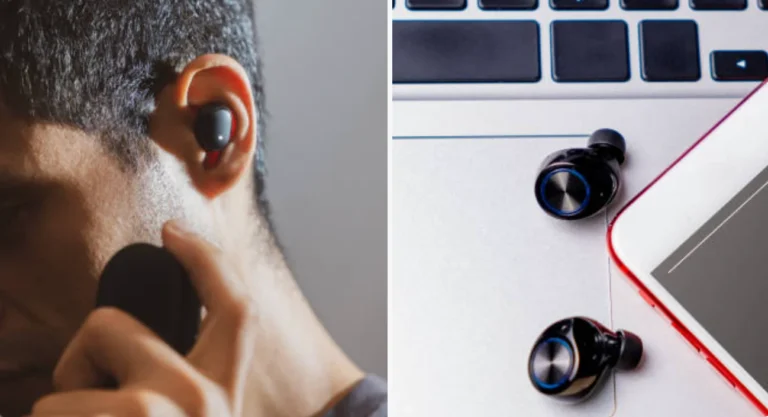
Bluetooth headsets have two personalities. Microsoft’s documentation on Bluetooth Classic audio explains that the stereo profile used for music, A2DP, only plays audio out. When an app needs the microphone, the headset must switch to the Hands-Free Profile, which carries mono sound both ways. Windows 11 does this automatically when an app opens the microphone.
Hands-free mode comes in two grades. Narrowband runs at an 8 kHz sampling rate, wideband at 16 kHz, and Windows prefers wideband only when both the PC and headset support it. Microsoft also notes that some wideband headsets revert to narrowband on certain Windows radios. An 8 kHz stream can carry nothing above 4 kHz, which is where the consonants that make speech crisp live, so the result sounds muffled to the listener and often to you as well.
That explains the confusing pattern: the browser mic test runs, the level bar moves, music sounded fine a minute ago, and then Zoom opens the mic and everything gets dull. Two ways to confirm it:
- Watch your own listening quality. If music or the meeting audio gets noticeably thinner the moment you join, the headset has switched to call mode.
- Check the device name in Zoom’s audio settings. An entry labeled Hands-Free is the call-mode path.
The cleanest fix is to take the microphone away from the Bluetooth link: use a USB headset, a wired headset or a separate USB microphone, and keep the Bluetooth buds for listening only if you like them.
A Passing Mic Test Proves The Device Works, Not That Speech Is Intact
An online mic test is the right first step. It confirms the browser can see the right microphone, that permissions are granted and that the level moves when you speak. What it cannot confirm is the quality of what Zoom will send.
Three gaps explain why a pass can mislead:
- Different path. A browser test runs in the browser’s audio path. Zoom’s desktop app uses its own device selection and processing, and it may pick a different microphone than the test did.
- Browser processing is already applied. Web pages can request echo cancellation, noise suppression and automatic gain control for the mic stream, as MDN’s MediaTrackConstraints reference describes. A test can look clean partly because a filter did the cleaning.
- Level is not bandwidth. A muffled signal can be loud. The bar moves just as far when everything above 4 kHz is missing.
So treat the test as a gate for the obvious faults and move on to the places where muffling actually starts.
Zoom’s Own Processing Can Dull A Voice Before It Leaves The Room
Zoom does not send your microphone raw. Its support pages on changing audio settings say the app applies noise suppression and echo cancellation by default, and that you can set the suppression level. Zoom’s professional audio guide names the levels as Auto, Low, Medium and High, with Low keeping the most original sound and High being the most aggressive.
If your voice sounds processed and flat, work through these settings in order:
- Set background noise suppression to Low or Auto and ask a colleague whether anything improved. Aggressive suppression is aimed at removing sound, and speech can lose some of its brightness with the noise.
- Look at automatic microphone volume. Zoom notes that turning it on locks the manual input slider. If your level pumps up and down, switch it off and set the input level yourself.
- Leave Original sound off for ordinary meetings. It is meant for music and turns processing down, and Zoom recommends dropping echo cancellation only with headphones.
- Confirm the microphone Zoom actually uses in its audio settings, not the one the browser test used.
These settings change character, not capability. They cannot restore frequencies that a narrowband Bluetooth link already threw away.
Distance And Room Echo Make A Perfectly Good Mic Sound Boxy
Some muffling has nothing to do with software. Zoom’s Rooms audio guidelines put it bluntly: noise reduction handles steady sounds such as HVAC hum, but “a reverberant room will always sound reverberant.” A microphone two arm-lengths from your mouth in a bare room picks up reflections at nearly the same level as your voice, and the result sounds hollow and distant.
- Distance. Laptop mics work best at a short, steady distance. Leaning back in the chair to talk across the desk is enough to lose clarity.
- Headset boom position. Place the mic near the corner of the mouth, not under the chin and not in the breath stream.
- Covered or blocked mic. Check that the laptop’s mic opening is not hidden by a sleeve, a notepad or a laptop stand’s edge. Some machines place the openings near the keyboard edge.
- Hard surfaces. Glass walls, bare floors and an empty desk reflect speech back into the mic. A rug, curtains or even a bookshelf behind you reduce it.
- Speaking off-axis. Turning your head toward a second monitor while you speak sends part of the voice past the mic.
These are the quick fixes that cost nothing, so try them before spending money on a new microphone.
Record Yourself In A Solo Meeting And Check For A Hard Cutoff Near 4 kHz
Stop guessing what the other side hears. Start a meeting alone, record it to your computer, say a few sentences with plenty of s, f and t sounds, and play the file back on decent headphones. That recording follows Zoom’s own processing, so it is a far closer match to what colleagues hear than the browser test.
Then look at it. Open a spectrum analyzer, hold the mic you plan to use and hiss a long “sss”. Speech consonants carry energy well above 4 kHz.
- Energy stretches well past 4 kHz: the mic path is carrying full speech. Look at Zoom’s settings and your room next.
- Energy falls off a cliff around 4 kHz: the signal is narrowband, which fits a Bluetooth hands-free link. Change the microphone, not the settings.
- Energy is weak everywhere: the mic is too far away, covered, or turned down too low.
One caveat: a browser test sees the device in whatever mode it is in at that moment. A Bluetooth headset may only switch to hands-free once a meeting starts, so run the spectrum check with the call already open, or compare it against the solo recording.
A Headset Standard And A Two-Minute Pre-Call Check Prevent Most Muffled Meetings
One person sounding dull is a nuisance. A whole team doing it on client calls is a perception problem for the company, and it is usually fixable with policy instead of purchases.
- Standardize the microphone path. Issue USB or wired headsets, or USB headsets with their own dongle, to anyone who spends hours on calls. Treat Bluetooth earbuds as listening devices.
- Write down the Zoom defaults you want, such as background noise suppression at Auto or Low and Original sound off, and push them through your device management where possible.
- Give people a two-minute check. Pick the right mic in Zoom, speak a sentence in a solo meeting, play the recording back, and glance at the high end in a spectrum view.
- Treat meeting rooms separately. Room acoustics and microphone placement matter more there than any setting, and Zoom’s Rooms guide is clear that noise reduction cannot fix a reverberant room.
- Log the failures. Note the headset model, connection type, OS and Zoom version for each complaint. A pattern across one model or one Windows build is far easier to act on than “audio sounds off.”
The uncomfortable part is that the cheap Bluetooth buds people love for music are often the weakest microphones in the building, and a modest wired headset will frequently beat them on calls.